
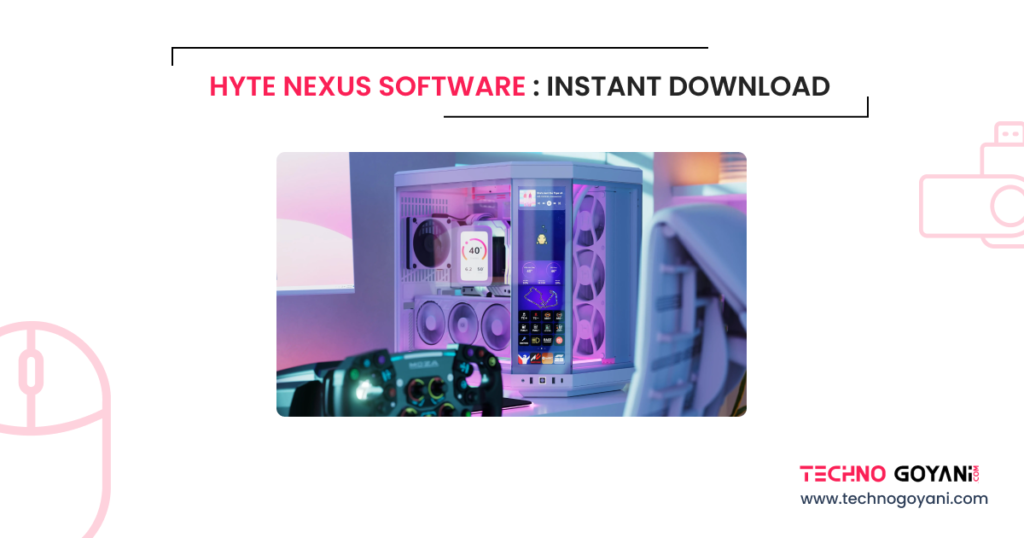
If you are searching for Hyte Nexus software and want a quick and easy way to download it, you are in the right place. This guide will walk you through everything you need to know in simple language. No confusion, no technical overload, just clear steps and helpful tips.
Whether you are building a new PC or customizing your current setup, Hyte Nexus software helps you control and personalize your system in a smooth and modern way.
What is Hyte Nexus Software?
Hyte Nexus software is a control and customization tool designed for modern PC setups. It is mainly used with Hyte cases and hardware, especially those that include display panels or smart features.
With this software, you can manage system performance, monitor temperatures, and customize how your PC looks on screen displays. It is built for users who want both functionality and style.
Why People Want Hyte Nexus Software?
There are a few simple reasons why this software is getting popular among PC users
It gives you full control over your system visuals
It helps monitor CPU, GPU, and system performance in real time
It allows customization of display panels inside your PC case
It is simple enough for beginners but powerful for advanced users
Download Hyte Nexus Software
| No | Version | Release Date | Download |
|---|---|---|---|
| 1 | NEXUS v2.14.3 (Latest) | March 10, 2026 | Download |
| 2 | NEXUS v2.12.2 | January 26, 2026 | Download |
| 3 | NEXUS v2.11.5 | January 6, 2026 | Download |
| 4 | NEXUS v2.10.2 | December 2, 2025 | Download |
How to Download Hyte Nexus Software Instantly?
Getting the software is very simple if you follow the right steps
- Select the Latest Software from the above table
- Look for the Nexus software section
- Click on the download button
- Wait for the file to download
- Open the file and install it on your system
Ensure your system meets the basic requirements before installation. Most modern Windows PCs will run it without issues.
Key Features of Hyte Nexus Software
Here are some of the main features you will enjoy after installing the software
- Real-time system monitoring
- Custom screen layouts for supported cases
- Easy interface with smooth navigation
- Performance tracking for CPU, GPU, and RAM
- Clean design that does not feel complicated
System Requirements
Before installing, check if your PC matches these basic requirements
- Windows operating system
- Modern processor and graphics card
- At least 4 GB RAM recommended
- Stable internet connection for updates
Tips for Best Performance
To get the most out of Hyte Nexus software, follow these simple tips
- Keep your software updated
- Avoid running too many heavy apps in the background
- Customize only what you need to keep things smooth
- Restart your system after installation
Common Issues and Fixes
Sometimes users face small issues. Here are quick fixes
If the software does not open
Restart your PC and try again
If it crashes
Update your drivers and reinstall the software
If display is not working
Check compatibility with your hardware
Frequently Asked Questions
Final Thoughts
Hyte Nexus software is a great tool if you want to take control of your PC setup and make it more personalized. It combines performance monitoring with visual customization in a simple way that anyone can understand.
If you are serious about improving your PC experience, downloading and trying this software is definitely worth it.
